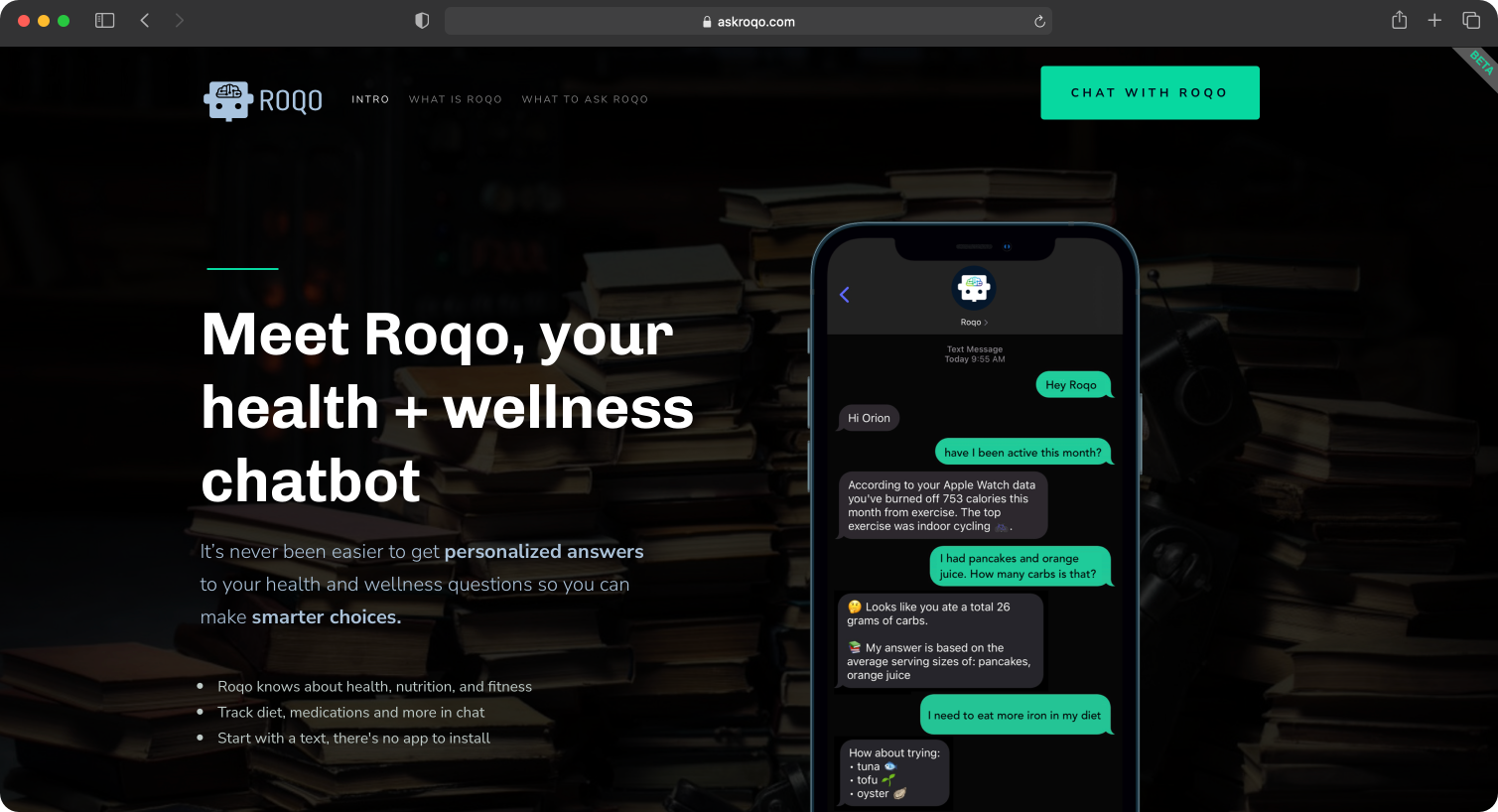
Description: Roqo was a pre-generative AI chatbot designed for health, nutrition and wellness conversations. It was deployed via SMS
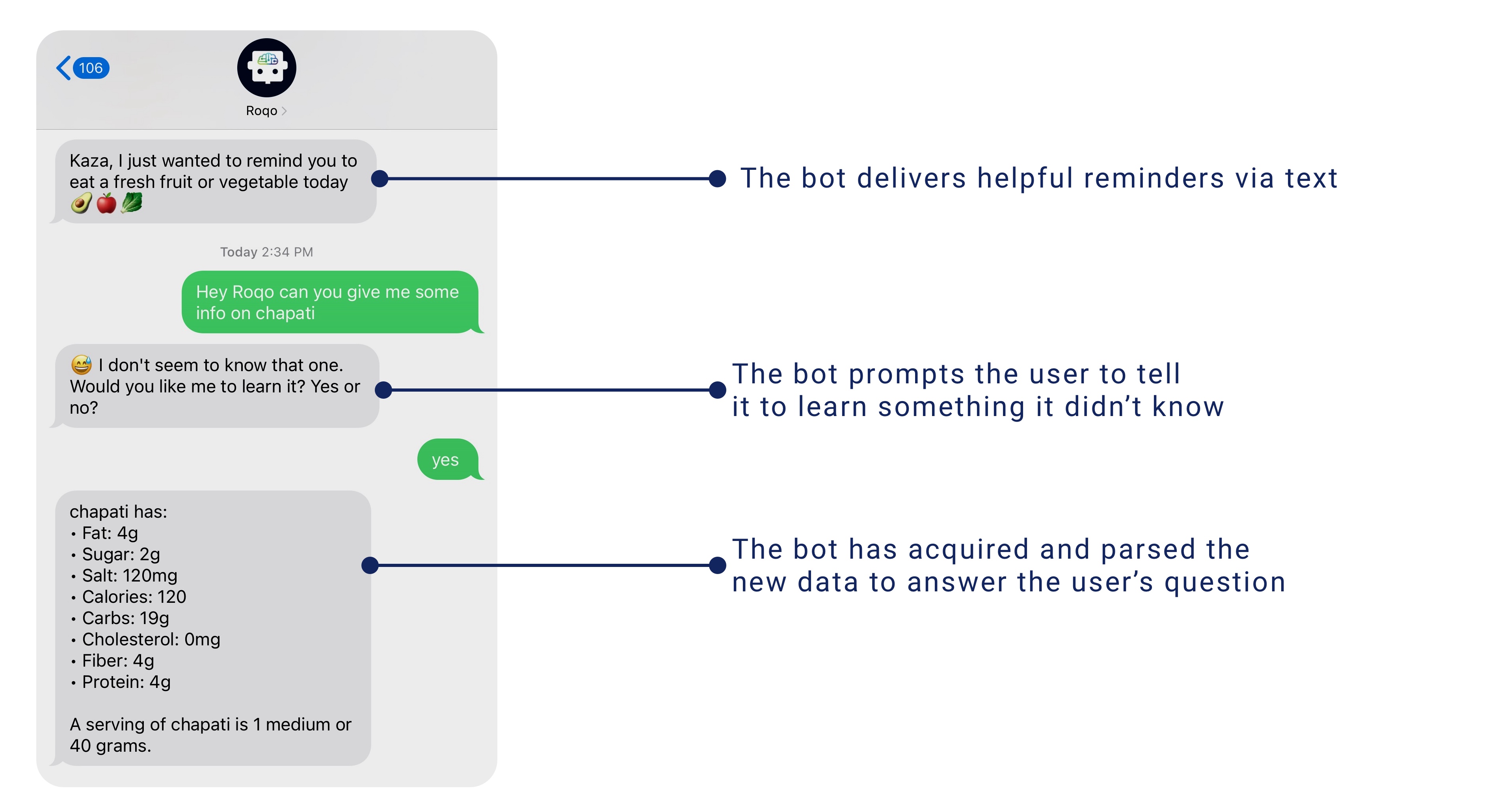
and featured: scheduled messages to start conversations with users, early in-context learning, and pre-MCP tool use like
fitness tracker analysis.
WHAT'S THE PROBLEM BEING SOLVED?
Web search and services like WebMD give generalized information in response to health and wellness questions. Is there a way to talk
to a health and wellness assistant to get more personalized information, track your fitness, nutrition and medications,
and get unprompted health tips and reminders?
WHO ARE WE SOLVING IT FOR?
The initial solution was for me. After recovering from health complications from Covid-19 in 2020, I wanted a better way
to track my fitness, nutrition and medications. There wasn’t anything on the market so I created the first SMS prototype of Roqo in early 2021.
During the year I shared it with others and developed the prototype into an invite-only product.
Validating SMS vs Mobile App vs Web App
Below are the determining factors in choosing SMS via messaging app as the interactive surface over a native mobile app or progressive web application.
•
Roqo can initiate conversations + habitual, high-open-rate channel : Calm technology (fits into existing attention/behavior rather than demanding a new one)
•
No app-store gatekeeping + zero onboarding friction + lower CAC : Frictionless onboarding / zero-install UX
•
Universal device support + low bandwidth + no expensive smartphone needed : Lowest common denominator (LCD) design
•
Conversational, mirrors talking to a nurse/friend + privacy-by-familiarity : Conversational UI / zero UI
•
SMS as the wider-reach, less-crowded distribution surface vs. app stores : Distribution-channel arbitrage / channel-fit
•
Built-in continuity in native Messages app, no separate login : Channel-native design (part of "meeting users where they already are")
HOW WE SOLVED IT
Conversational AI Design
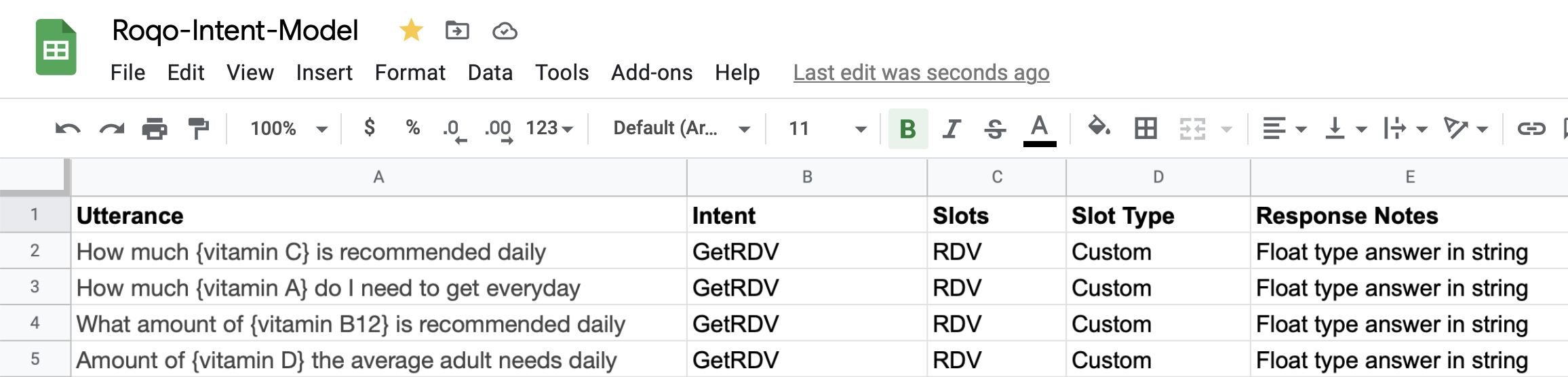
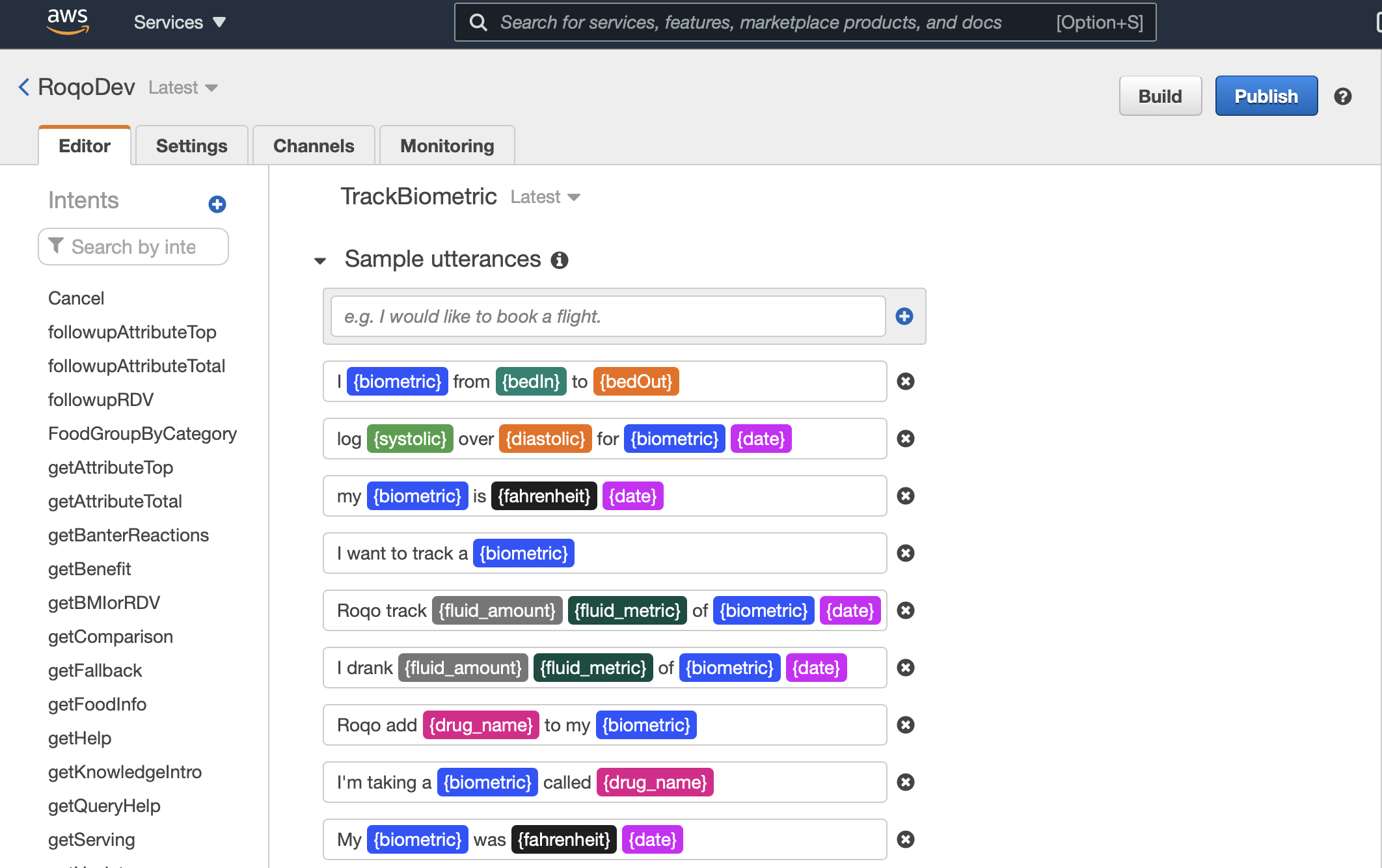
The conversational design process started by using a spreadsheet to create a basic intent model representing the most important questions for Roqo to answer. The spreadsheet was used to create dialog flows and those were used to define intents with sample utterances in Amazon Lex.
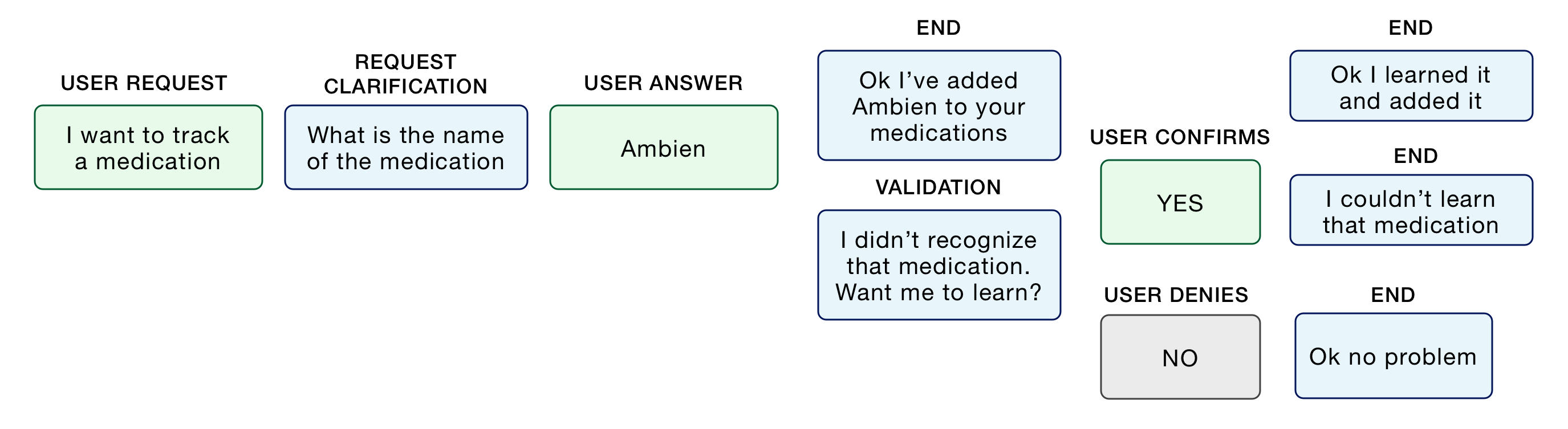
Designing the ideal flow of dialog between the human user and chatbot, accounting for clarifications, confirmations, and chatbot failures.
Intent Mapping & Sample Utterances
Backend Development
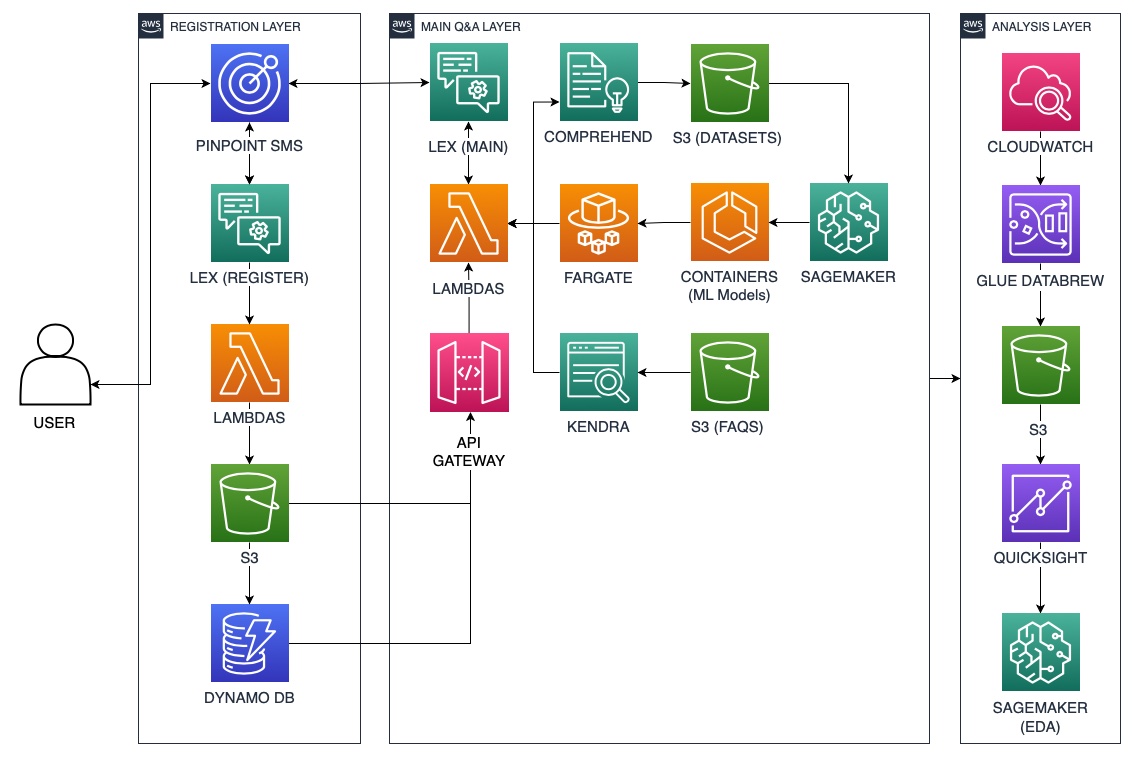
This step entailed development of the supportive infrastructure enabling chatbot intents to trigger API calls, real-time analysis and inference from custom machine learning models.
Iteration
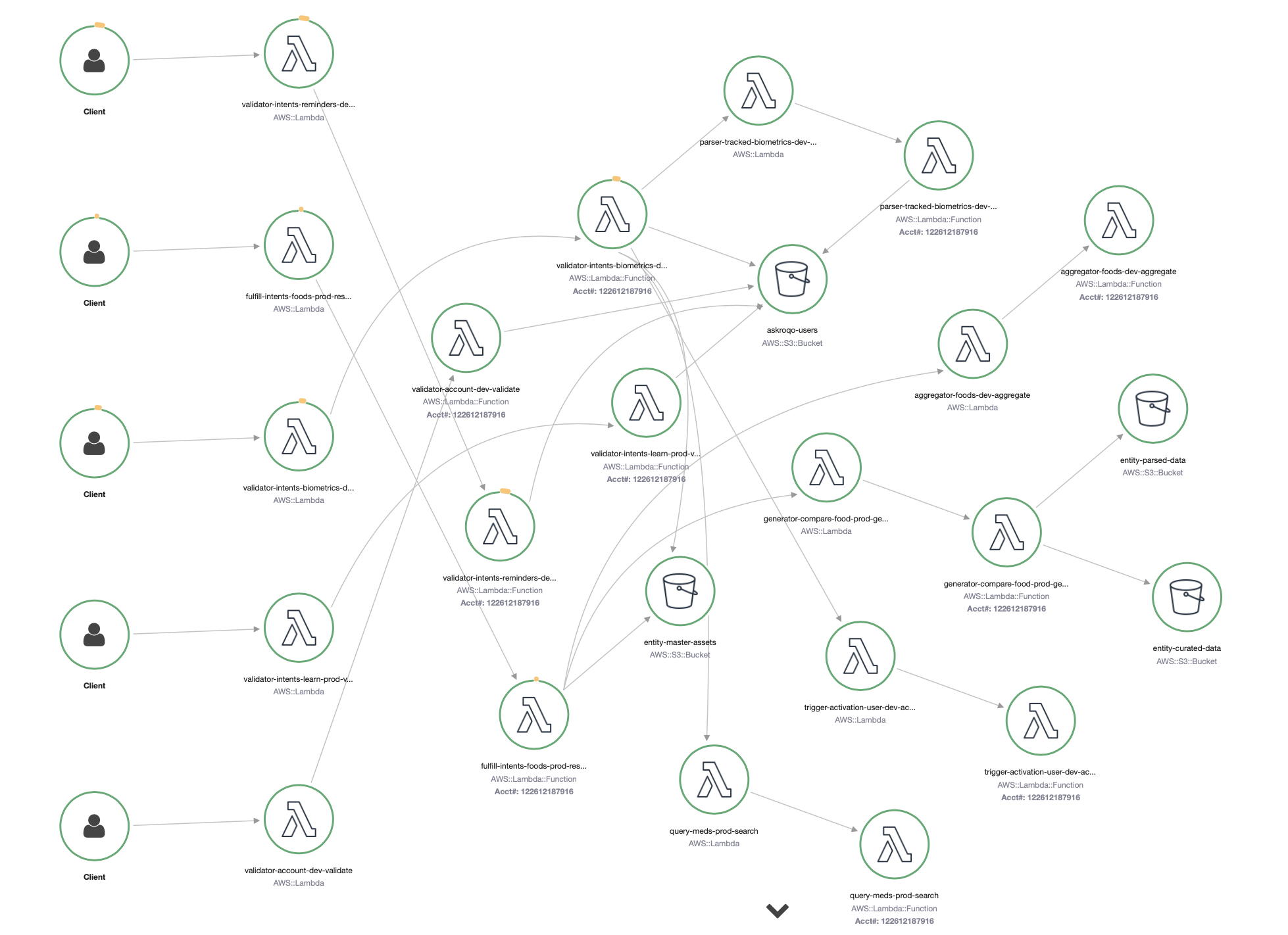
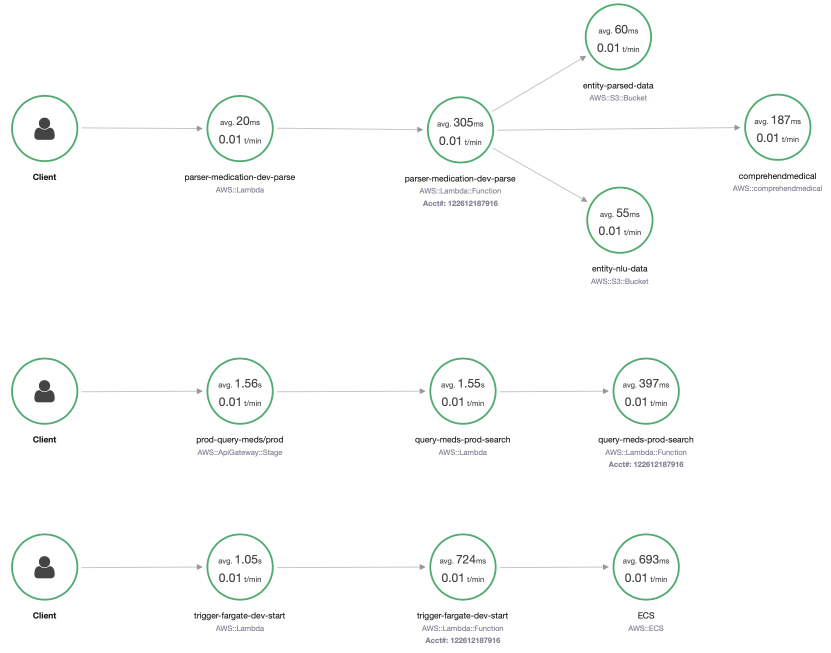
My approach to iterating on the design, functionality and user experience of products is very technical. For Roqo, there are two approaches that I used for iterative improvements. The first is by analysis of the traces of all of the functions invoked to answer questions. The latency of these functions also determines the speed at which Roqo can answer questions.
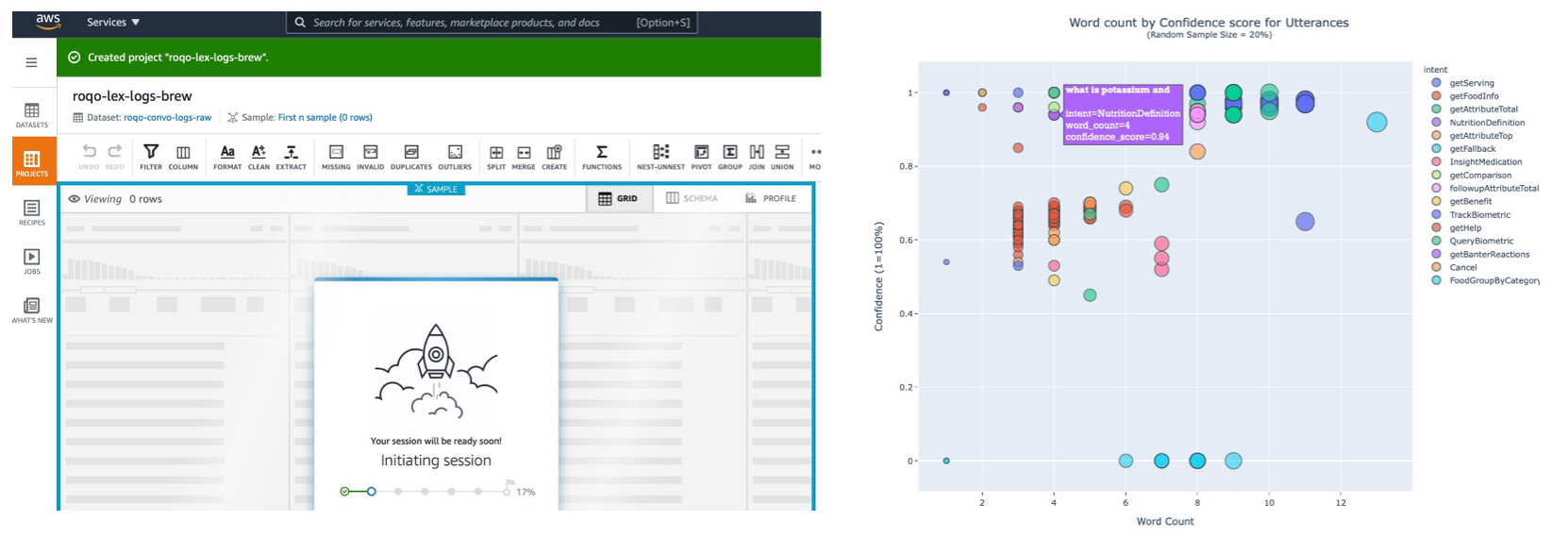
The second approach, which is more typical for conversational AI systems, was to analyze the conversation logs, assess the success and failure rates, and manually improve the system to lower the failure rate towards 0%.
WHAT WE LAUNCHED
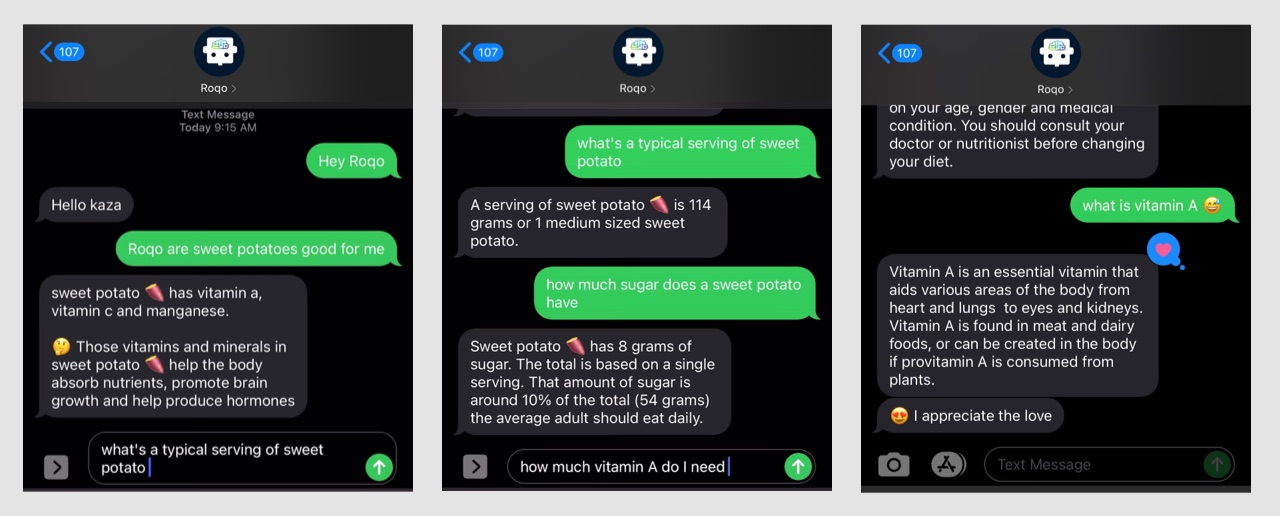
After a long (6-month) development period in which I personally interacted with the chatbot daily, Roqo was released as a closed beta. Users required an invite code to register via SMS.
The most popular features from the testing phase were optimized for the closed beta. This optimization included improved latency and robust question answering.
In-context Learning
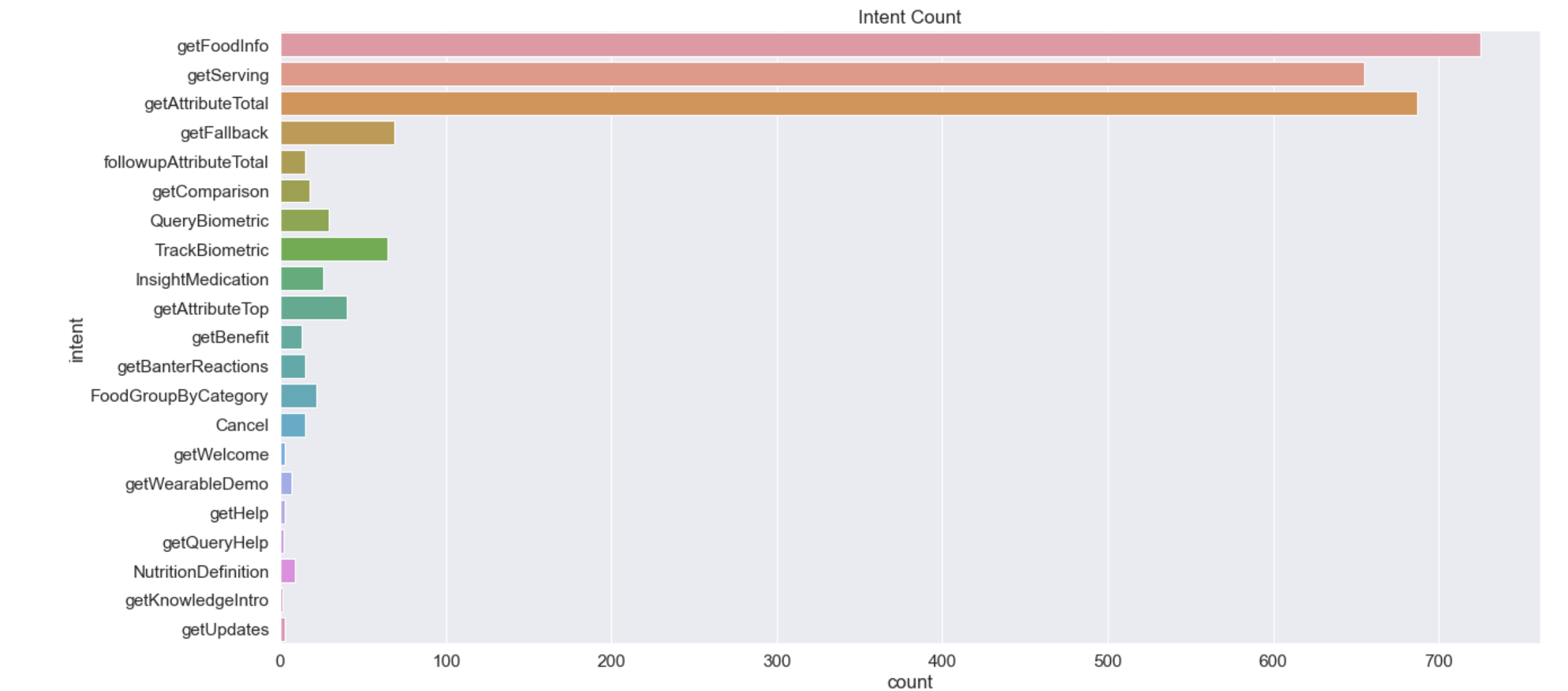
Food Related Intents
Roqo closed beta users overwhelmingly favored the nutrition info and calorie-counting features. An early foreshadowing of the popularity of that use case for mobile apps.
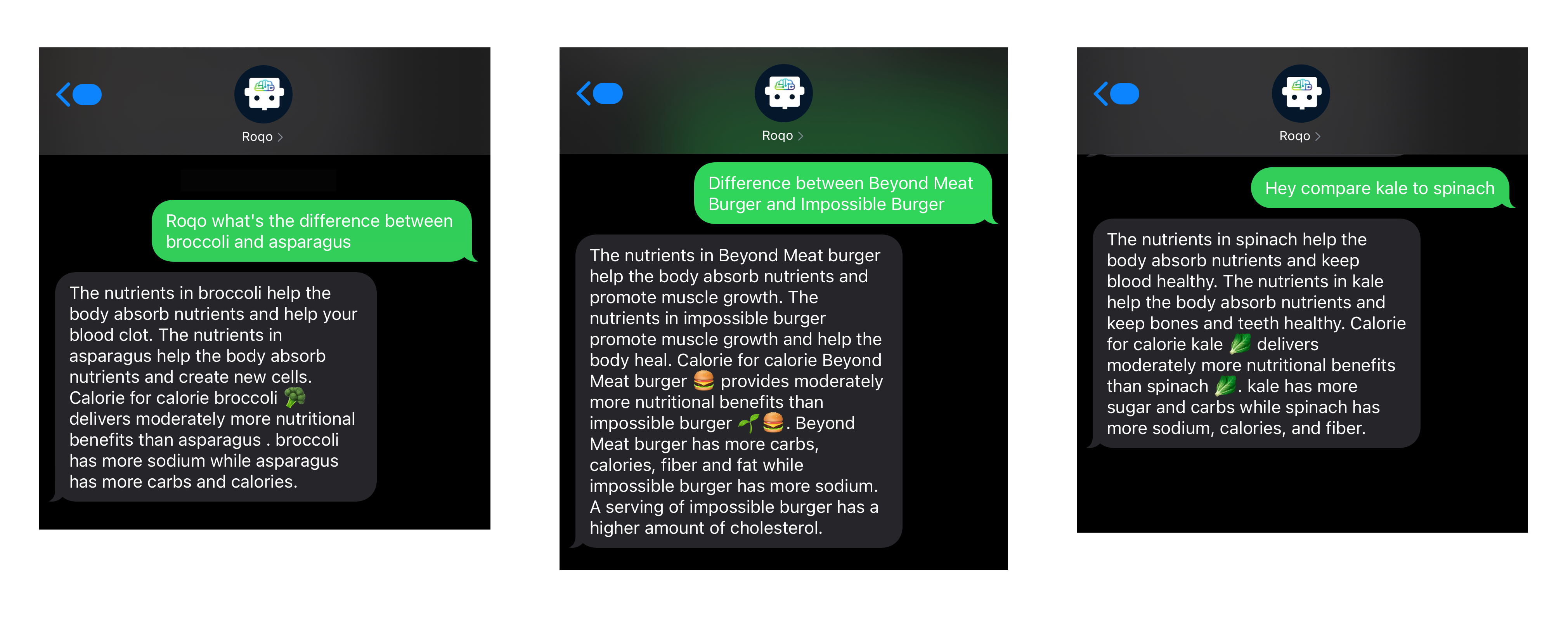
Real-time Comparative Analysis
Onboarding With Interactive FAQs
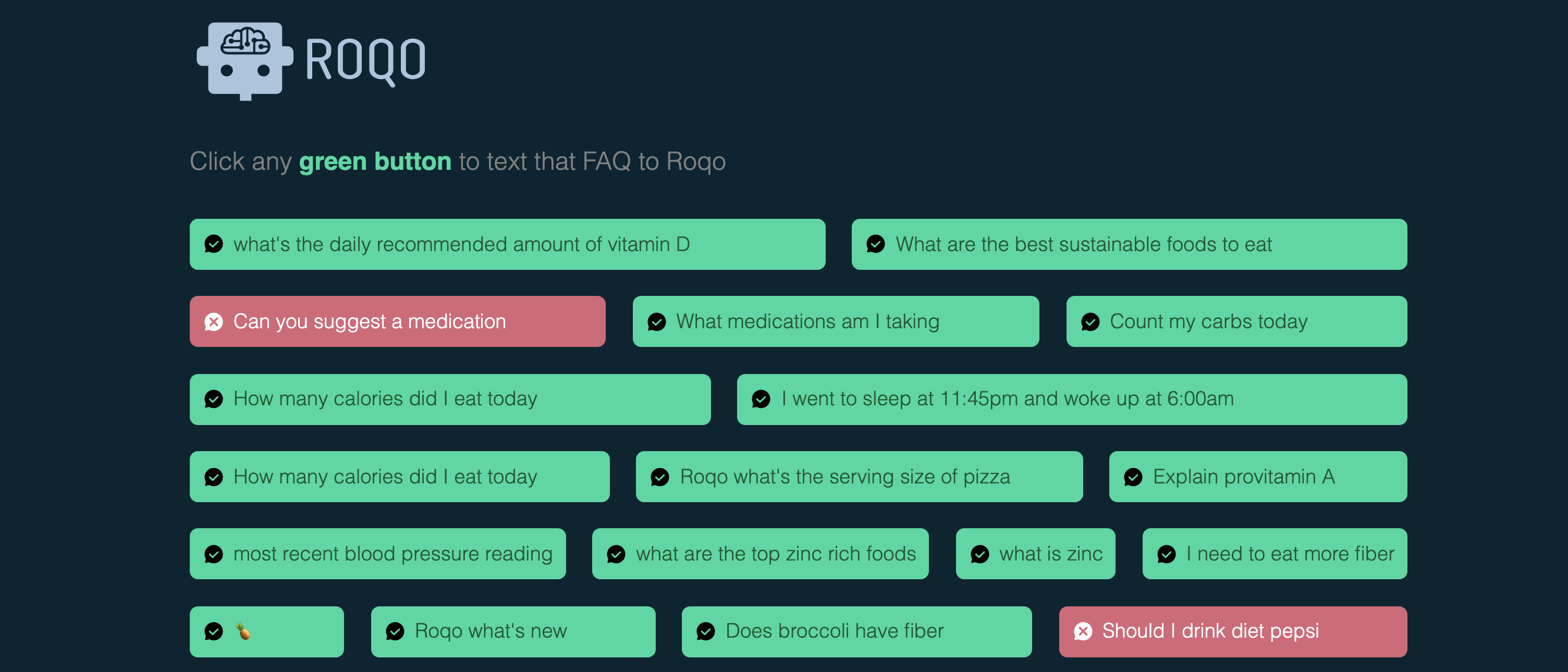
For new beta users, an interactive FAQ was created to quickly show them a range of questions being asked by the pool of Roqo users. Clicking on any green FAQ launched the user's default messaging app with that exact question for Roqo.
–